
Uncovered, visible
A red building on a map is harder to miss than a row in a list. The "Uncovered" filter shows only what is urgent.
A list of thirty addresses does not tell you who is where, how far apart the buildings are, or where coverage is thin. That is why staffing in Effiora is also a map. It shows every job, one week at a time. Green means covered, red means a shift is missing people, and a small airplane means the gap is caused by absence and needs a substitute. You see at a glance which buildings are at risk and who has too much, and you can move people around as a simulation before saving anything.
List versus map
In the list everything looks the same. On the map you see that Ali has a tidy route heading north, that Industriveien sits right next to where Marta starts after lunch, and that the one red pin is the thing that needs you today. The map answers the questions the list cannot: who works where, where they drive, and where the gaps are.
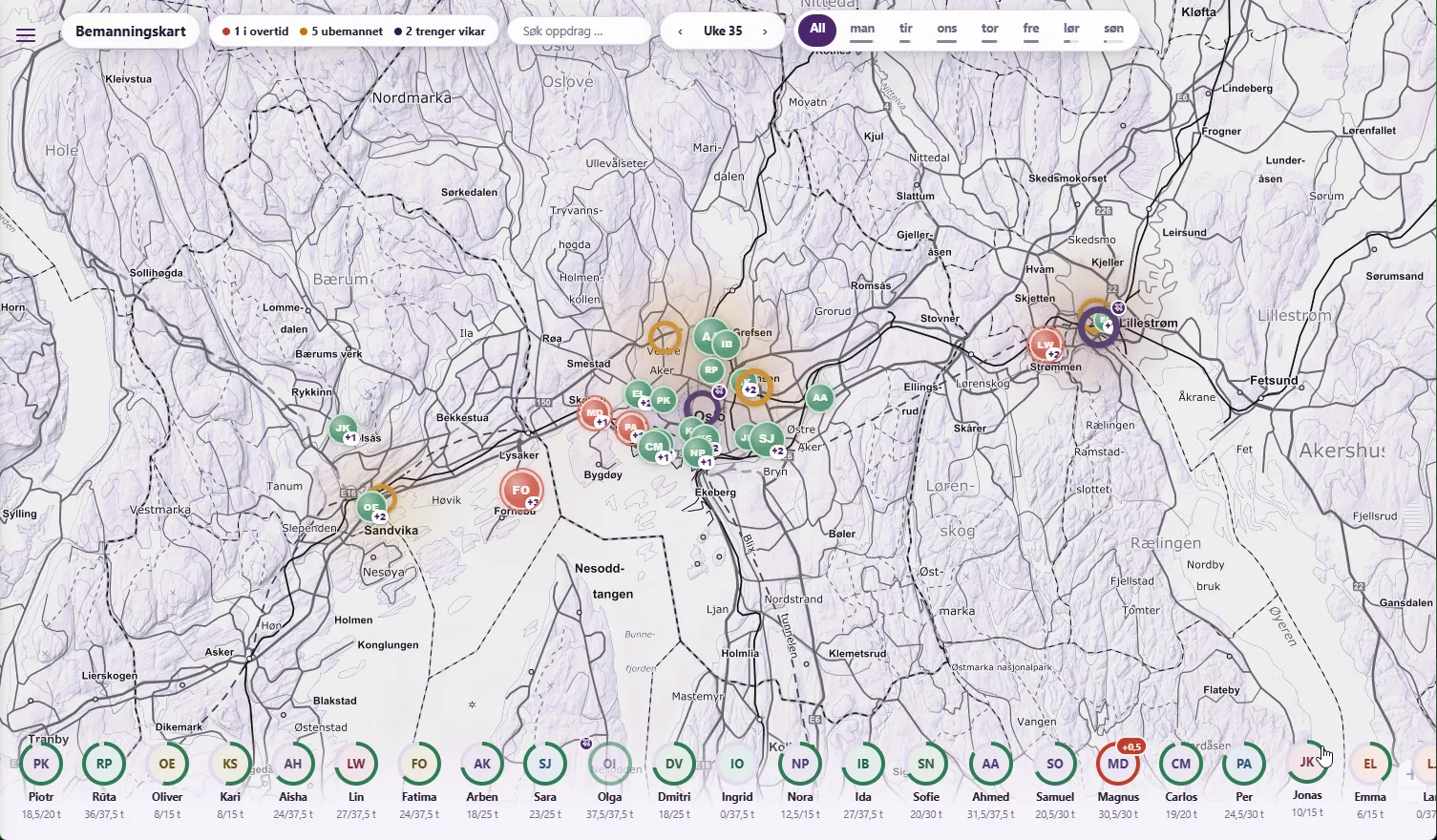
Web app
Mobile app
In the mobile app the map is its own tab under Operations. Same pins, same colours: a green pin with the initials of whoever is working, a red pin with "1/3" when one of three shifts is missing people. Filter on uncovered, weekday or worker, or search by address. Pick a worker and a day and their stops are drawn as a numbered daily route. Tap a building for directions in Apple Maps or Google Maps.
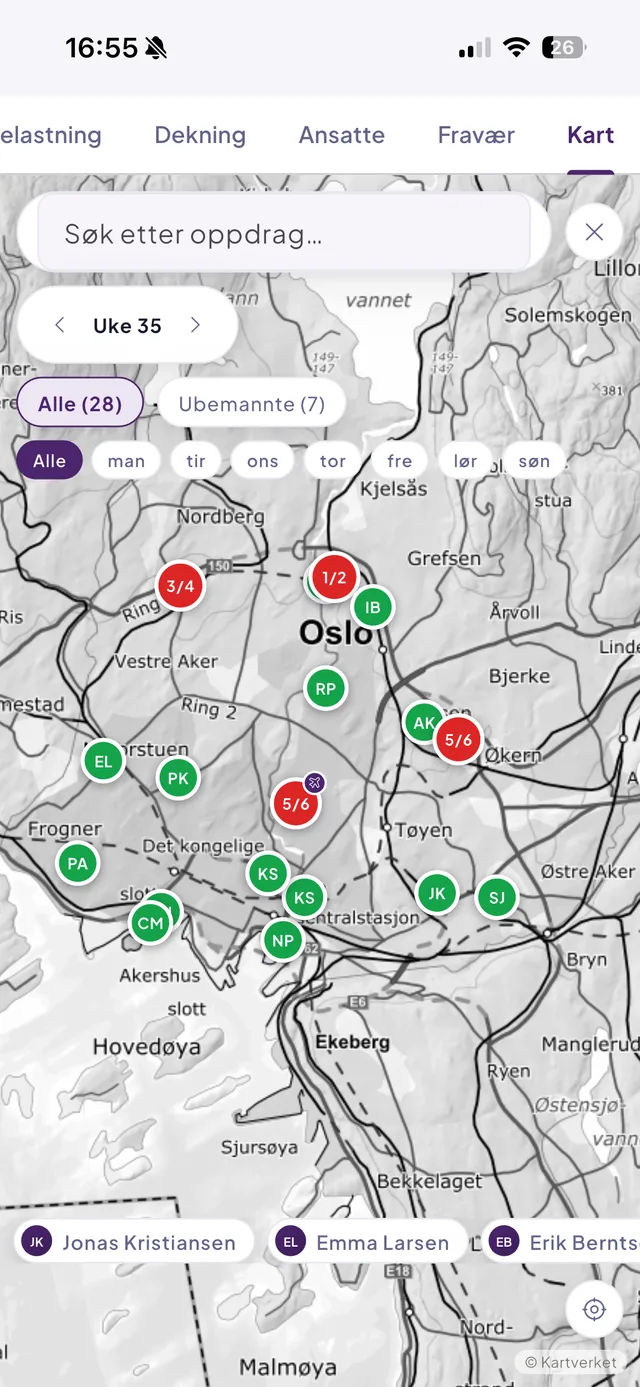
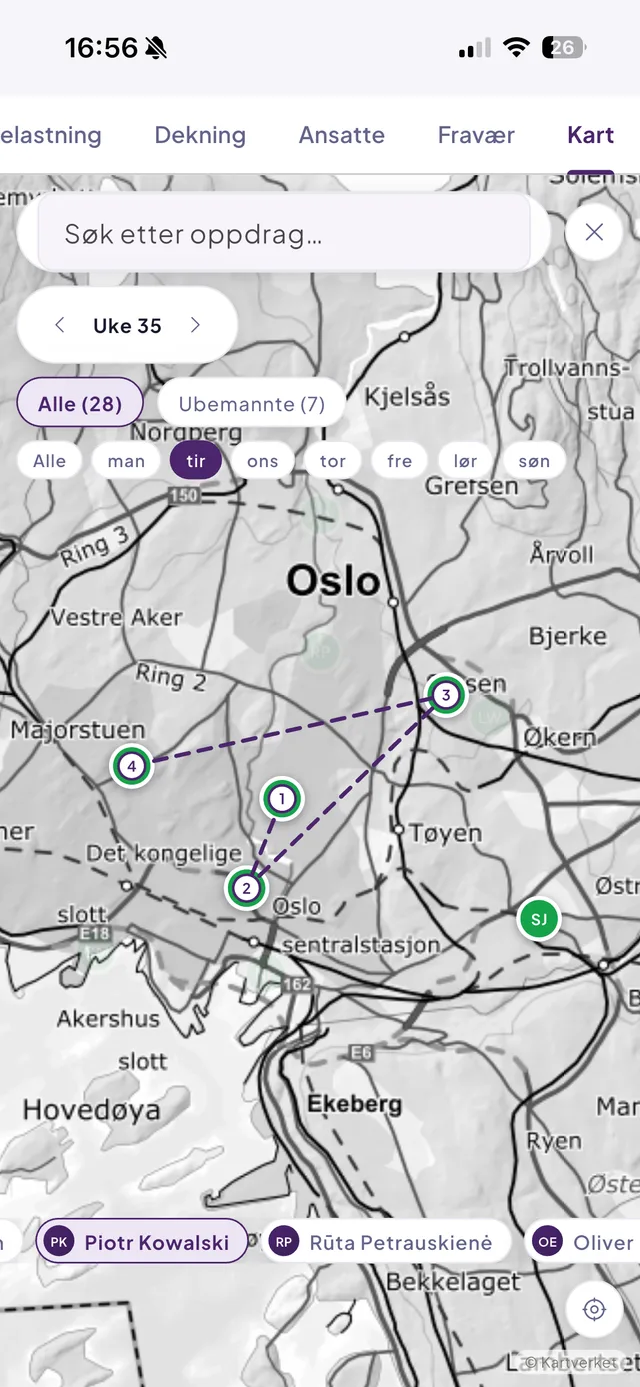
A red building on a map is harder to miss than a row in a list. The "Uncovered" filter shows only what is urgent.
Every worker has an expected weekly hours figure. The map warns when the plan breaks it, not when the payroll basis arrives.
Move five workers, see that it adds up, save. Or reset and try again. No accidental changes.
Every job on a map, one week at a time. Each job is an orb sized by its hours that week, coloured by state: green is covered, orange has no worker assigned, red means an assigned worker is over their expected weekly hours, purple means an absence has created a gap that needs a substitute.
Yes. Pick an open shift and get the "Who can take this?" list, ranked, with each candidate's hours per day. Changes accumulate as a simulation and are only saved when you press Save.
As long as you have not pressed Save, nothing has changed. Reset discards every move in the simulation.
Yes, as its own tab under Operations for team leads and up. It shows pins per job with coverage status, filters on uncovered, weekday and worker, a daily route per worker, and directions to the address.
Maps from Kartverket, the Norwegian Mapping Authority, in both the web app and the mobile app. Addresses are verified against Kartverket when the job is created.
The staffing map in the web app requires permission to manage schedules (coordinator and up). The map tab in the mobile app is available from team lead and up.
Book a no-obligation demo and we will show you how Effiora fits your operation — from schedule to payroll basis.