
1
Affected shifts listed instantly
The moment an absence is registered, you see every affected shift with its status: Covered or No substitute.
When someone calls in sick, minutes matter. In Effiora the worker reports sick leave straight in the app, you instantly see which shifts are affected, and you get substitute suggestions ranked by experience at that exact job. When the absence ends, everything is handed back automatically — and the sick-pay basis stays correct.
Self-reporting
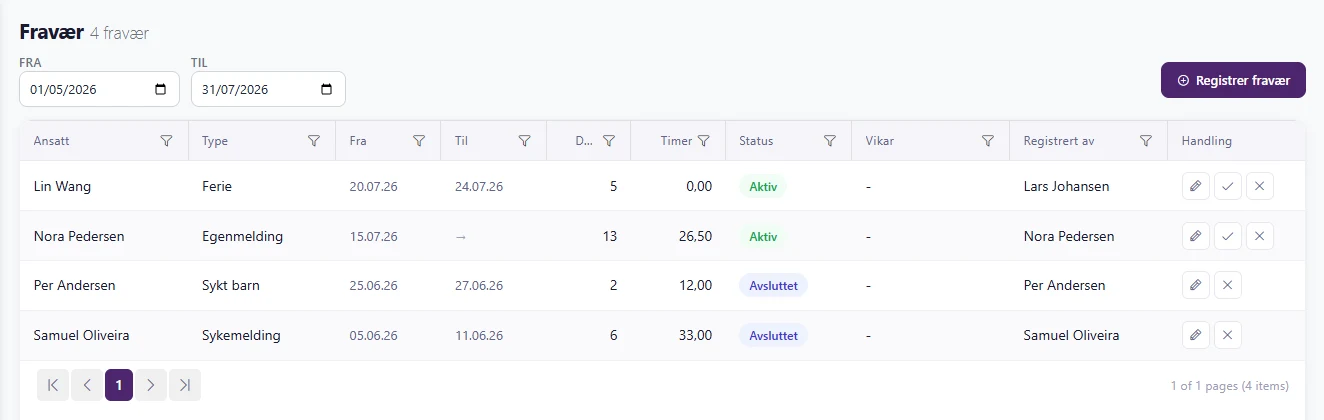
Operations managers and coordinators register absence for anyone: self-certified sick leave, doctor-certified sick leave (including upgrading from self-certified), sick child, vacation, and leave with or without pay. Everything is classified correctly from the start — and lands in the right payroll column.
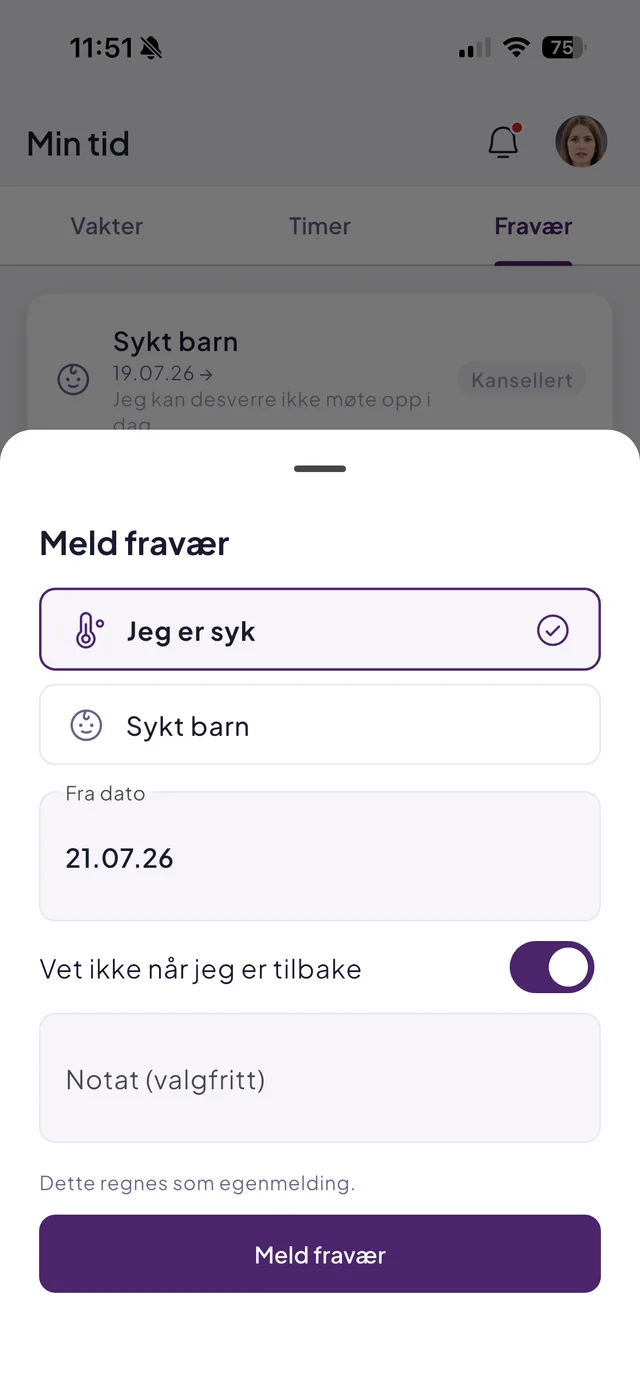
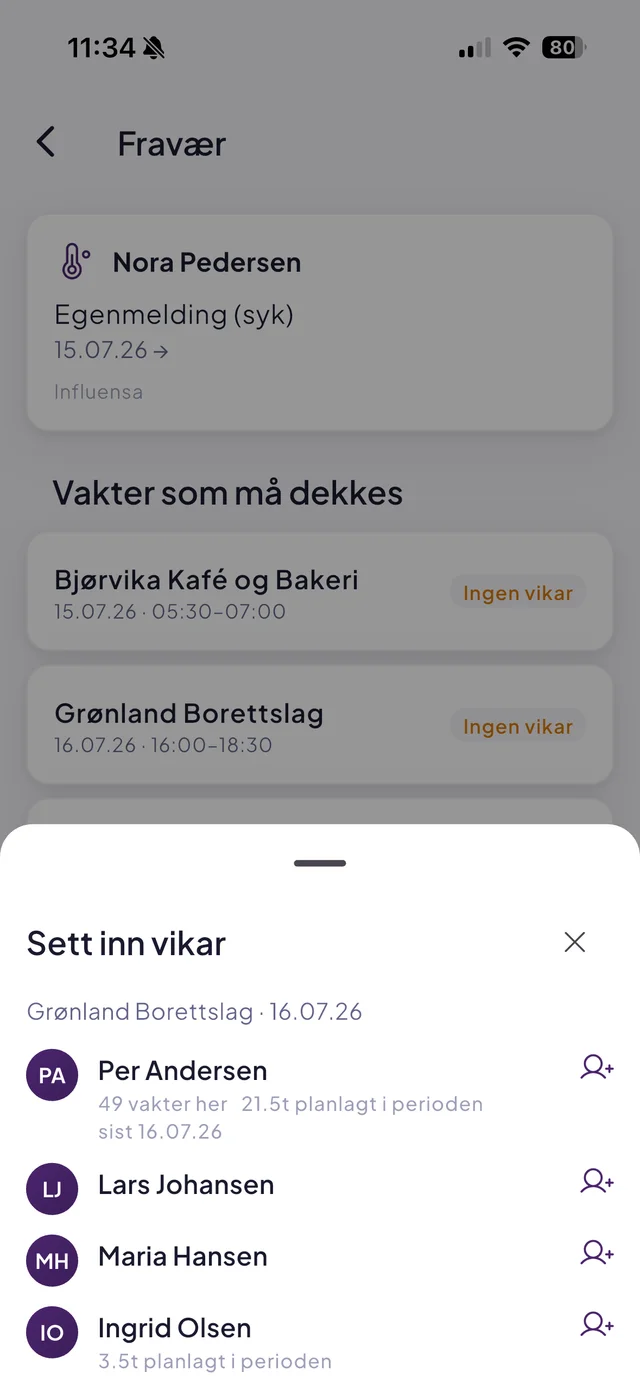
The moment an absence is registered, you see every affected shift with its status: Covered or No substitute.
Suggestions are ranked by experience at that specific job and availability — and never propose someone absent or double-booked.
When the absence ends, the substitute's future shifts are cancelled and the original worker restored — automatically, in one transaction.
Shifts with absence are reclassified — never deleted. Planned hours are preserved, so the sick-pay basis stays correct and the payroll basis adds up.
Straight in the mobile app: choose "Report absence", pick self-certified sick leave or sick child, and send. Open-ended absences are supported, and when recovered they tap "I'm back". The coordinator gets push notifications both ways.
Self-certified sick leave, doctor-certified sick leave (including upgrades from self-certified), sick child, vacation, and leave with or without pay. Workers self-report sick leave and sick child; managers can register every type for anyone.
Effiora lists affected shifts instantly and suggests substitutes ranked by experience at that exact job and by availability. Suggestions always exclude workers who are absent or double-booked.
The substitute's future shifts are cancelled and the original worker is put back on the plan — automatically, in one transaction. No manual cleanup.
Yes. Absent shifts are reclassified rather than deleted, so planned hours are preserved. In the payroll basis, absence lands in the right column (self-certified, doctor-certified, sick child, vacation, leave), and the sick-pay basis stays intact.
Book a no-obligation demo and we will show you how Effiora fits your operation — from schedule to payroll basis.