
Last and next visit
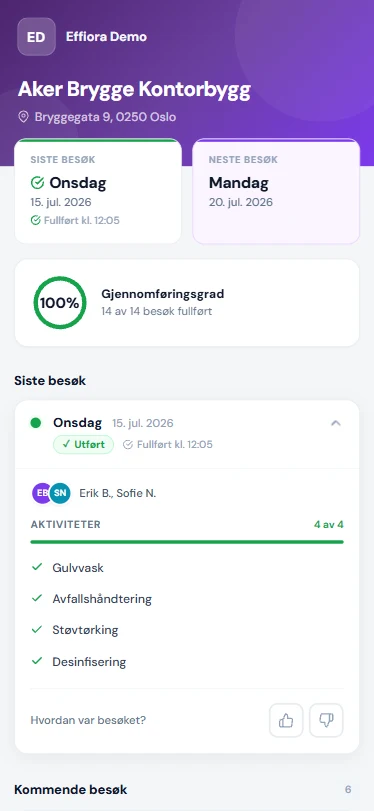
"Last visit" with the actual completion time ("Completed at 14:32") and "Next visit" — always up to date.
With Effiora, every location gets its own QR code with a public page. The customer — the property manager, board or procurement team — scans the code and sees a live, branded page showing what was done, when and by whom, with checklists, photos and a feedback button. No login, no app, no user account — the customer scans the code on the wall. Other systems give customers visibility through a portal they have to log into; here the only barrier is a camera.
Try it yourself
The QR code opens a real demo page for a fictional job. No login, no app — exactly how your customer experiences it.
 Open the demo page
 "Last visit" with the actual completion time ("Completed at 14:32") and "Next visit" — always up to date.
A color-coded ring shows the share of completed visits — X of Y done. Documented delivery over time.
Every visit shows its status (Done / In progress / Planned / Not done), who worked, and the activity list with progress.
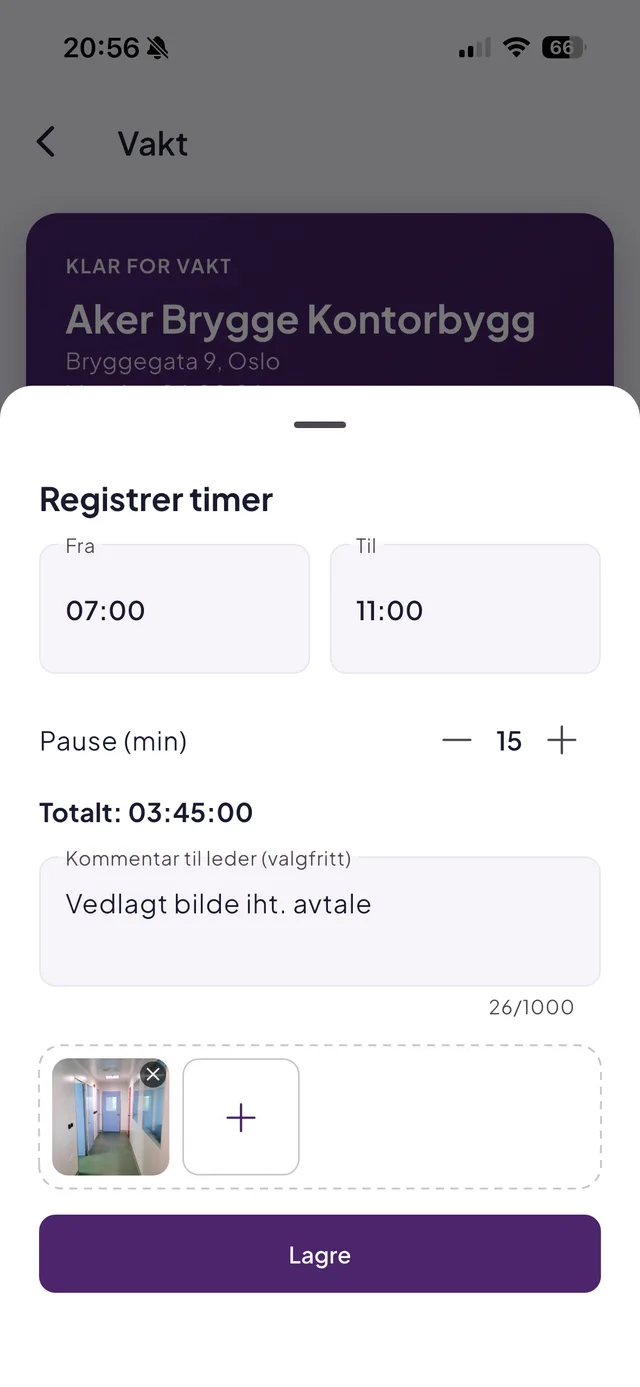
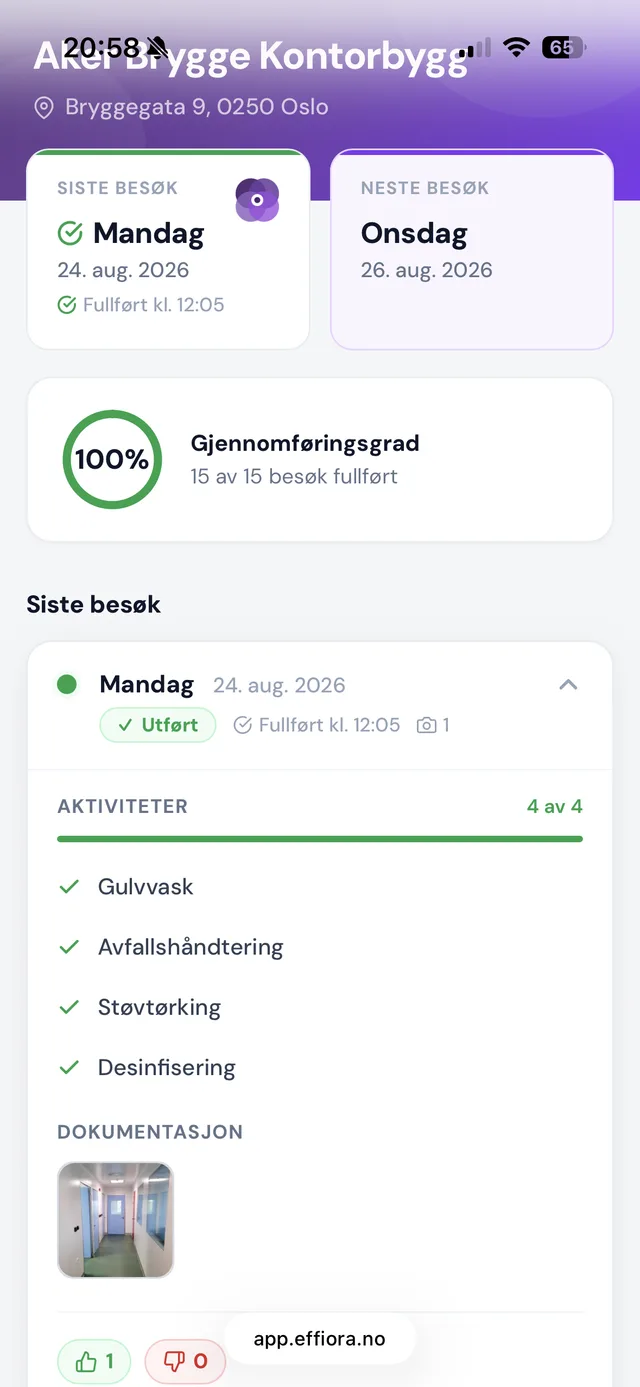
Workers attach photos and notes along the way — the customer views them in a lightbox on the QR page.
Thumbs up/down with a comment per visit. A thumbs-down instantly push-notifies the operations manager.
Generate a branded A5 sign with the QR code as a PDF in one click — hang it up the same day.
Photo documentation
The cleaner takes photos along the way, straight from the shift screen in the app, up to six per shift. The photos show up in the control room and in a per-job photo feed, where the operations manager can hide or delete them. Approved photos appear as thumbnails on the visit on the customer's QR page, full size on tap. No emails, no WhatsApp: the proof sits where the customer already looks at the delivery.
Privacy
In tenders and contract renewals, documented delivery is a competitive edge. With QR proof you can show the buyer exactly how delivery is followed up — live, not in a binder. And day to day, your customer never calls to ask whether the cleaner came by: the answer hangs on the wall.
Every location gets a public page with its own QR code. The customer scans it and sees the last and next visit, the completion rate, checklists with checkmarks, photos and notes, and can leave anonymous feedback — no login required.
No. The page opens in the browser when the QR code is scanned with any phone camera. No app, no login, no account.
No. The page is marked noindex and is only reachable by those with the QR code or link. Planned start and end times are also deliberately hidden, so nobody can derive how long the job takes.
The operations manager instantly gets a push notification with the comment and can follow up before dissatisfaction grows. Feedback counts are shown aggregated on the page.
Yes. Workers take up to six photos per shift straight in the app. The operations manager sees them in the control room and can hide or delete them. Photos that are not hidden appear as thumbnails on the visit on the QR page, and are deleted automatically after 90 days (adjustable per company).
Effiora generates a finished A5 sign with the QR code, your logo and your company name as a PDF in one click — ready to print and hang.
No. The QR code stays the same for as long as the job exists. Change the checklist, the tasks or the frequency and the customer page shows it right away. No reprinting, and no trip to the building to swap the sheet.
Book a no-obligation demo and we will show you how Effiora fits your operation — from schedule to payroll basis.